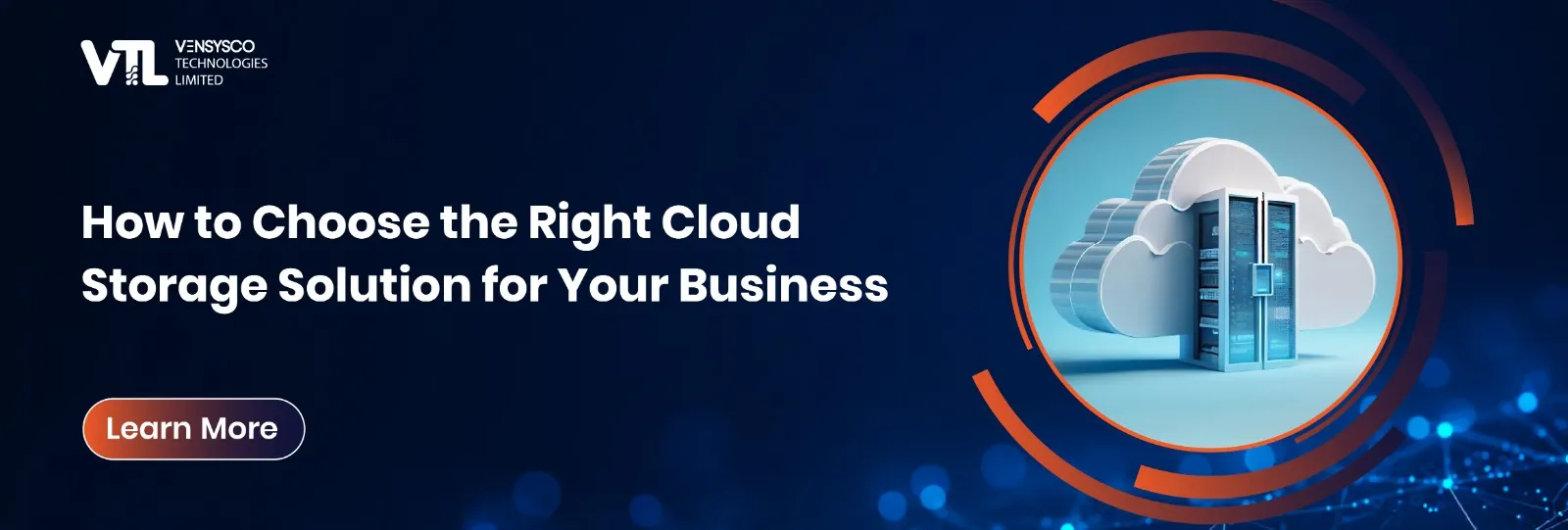
How to Choose the Right Cloud Storage Solution for Your Business
10-08-2026
Every business generates more data than it did a year ago, and that trend is not slowing down. Contracts, customer records, financial reports, surveillance footage, and application backups all need somewhere safe to live. For most companies, the answer is cloud storage. But choosing the right cloud storage setup is not as simple as picking whichever provider comes up first in a search. It affects your costs, your security posture, and how quickly your team can actually get to the files they need.
This guide walks through what to look for so you can choose a setup that fits your business rather than one that just fits the sales pitch.
Why Cloud Storage Matters for Modern Businesses
On-site storage entails the purchase of physical hardware, space to put it, cooling measures and staff to manage it. The bigger the amount of data, the bigger the expense in managing the hardware. With cloud computing storage, the business gets rid of almost all that trouble as the management of infrastructure is done by someone else. For most companies expanding their services, adopting cloud computing storage also means less surprises in terms of maintenance expenses as the cycle of renewing hardware is done by another party.
Not only does the company save money but the ability to manage storage also becomes much easier as well. Employees get access to files no matter where they are, scale the capacity depending on needs, and do not need to purchase new hardware every time they run out of storage.
Types of Cloud Storage
Before comparing providers, it helps to understand the different types of cloud storage available, since each is built for a different purpose.
Object storage is intended for unstructured data like images, videos, and backup files, and can be scaled without difficulty as storage increases. Block storage functions similarly to a regular hard drive and is suited for use with databases and applications that require fast and reliable reads and writes. File storage formats data in a hierarchical fashion similar to what we see on a file system, making it an ideal choice for document storage.
Deployment models offer yet another variable in this discussion. Public cloud storage operates on shared infrastructure and comes at reduced cost and rapid deployment. Private cloud storage operates exclusively for one company. Hybrid setups combine both, letting a business keep sensitive files on private infrastructure while using cloud based storage for less critical, everyday data. Most cloud computing storage platforms now support this kind of mixed approach out of the box, so businesses are rarely locked into a single deployment model. Knowing which of these types of cloud storage suits your workload prevents you from overpaying for capacity or control you do not actually need.
Key Factors to Consider
Security should be the first checkpoint in any evaluation. Look for encryption both in transit and at rest, strong access controls, and clear audit logs showing who accessed what and when. A provider offering solid cloud storage services should be able to walk you through these protections without hesitation.
Scalability matters just as much. A good cloud storage solution should grow with your business without forcing a painful migration every time you outgrow your current plan. Most cloud computing storage providers advertise unlimited scalability, but ask specifically how easily capacity can be increased and whether pricing scales predictably as usage grows.
Also, cost structure requires careful consideration. For some, the cost structure includes only the cost of storage, while others include additional costs for data retrieval and transfer or API calls. What looks like the best cloud storage option on price alone can end up costing more once these extra charges are factored in. The best cloud storage plan for a small team may look nothing like the best cloud storage plan for an enterprise running heavy analytics workloads, so it is worth matching the comparison to your actual usage pattern rather than a generic ranking.
Recovery speed is often overlooked until it is needed. In the event of data loss, how quickly can files be restored, and does the provider offer clear service level agreements around recovery time.
Regulatory compliance depends on the type of industry that you are operating in, and hence, the cloud storage provider you select must be able to comply with the regulation that pertains to your data.
A Growing Use Case: CCTV Cloud Storage
One field witnessing quick adoption is that of CCTV cloud storage. For organizations that use surveillance systems in their offices, warehouses, or stores, the move from local recorders to cloud-based video storage will help eliminate the danger of losing any information in case the recorder is stolen or destroyed. This type of CCTV storage not only provides remote access to videos but also allows sharing videos with the police, where necessary, while keeping recordings stored for the duration required by laws.
This type of change for organizations with many sites helps streamline operations as they do not have to visit every site to retrieve videos from the recorder at that site.
How to Evaluate Providers Offering Cloud Storage Services
In case one wants to compare various cloud storage solutions, he should be informed about the history of uptime, the time required to respond to an issue, and what happens when one changes the service provider in the future. It is possible to get locked into the vendor, and thus it is important to know what is involved in transferring your data to another solution provider.
Furthermore, it is recommended to consider whether it is convenient to integrate the cloud storage of the particular provider with the systems used by your team.
Conclusion
Selection of appropriate cloud storage for your enterprise will depend on knowing your workload, the requirements for the level of security and compliance, and evaluating the competing cloud providers not only on the basis of cost. Depending on whether your requirements include simple file storage, CCTV cloud storage, or any other kind of cloud storage, the selection process will be based on choosing the platform that corresponds to your needs.
Choose a cloud storage solution that aligns with your business data, security, scalability, and operational requirements. Contact Vensysco Technologies to discuss your requirements and explore the right approach for your organization.
Frequently Asked Questions
1. What is cloud storage, and why is it useful for businesses?
Cloud storage allows businesses to store and access their data through cloud infrastructure instead of relying entirely on on-site hardware. It can help businesses manage growing data, access files remotely, scale storage capacity, and reduce the need for physical storage infrastructure.
2. What are the different types of cloud storage?
The main types of cloud storage include object storage, block storage, and file storage. Object storage is suitable for unstructured data such as images, videos, and backups, while block storage works well for databases and applications. File storage is commonly used for documents and other files organized in a hierarchical structure.
3. How can businesses choose the best cloud storage solution?
Businesses should evaluate security, scalability, pricing, data recovery, compliance, uptime, and integration requirements before selecting a cloud storage solution. The best cloud storage option should match the organization's actual workload and data requirements rather than being selected only on price.
4. What is CCTV cloud storage, and how can it benefit organizations?
CCTV cloud storage allows organizations to store surveillance recordings in cloud-based infrastructure instead of relying only on local recording devices. It can provide remote access to footage and reduce the risk of losing recordings if a local recorder is damaged or stolen.
5. How can Vensysco Technologies help businesses with cloud storage?
Vensysco Technologies helps businesses identify and set up cloud storage approaches based on their data, security, scalability, and operational requirements. Its cloud storage services can support organisations looking for a reliable and flexible way to manage growing data and storage needs.






Ready to secure your next examination?
Contact Vensysco today to learn how AI surveillance can safeguard your assessments.
Schedule a Demo